Are you building full-stack apps with AI but starting to feel boxed in as your product grows?
That’s a challenge many teams run into with no-code AI platforms like MeDo, which are excellent for fast app generation, but often struggle when workflows become more complex.
MeDo makes it easy to turn natural language prompts into working full-stack applications. You describe what you want, and the platform generates the frontend, backend, and deployment for you, without writing traditional code. It’s fast, accessible, and designed to help founders and small teams ship ideas quickly.
But what happens when your app needs more than just speed? When you need persistent logic, multi-step workflows, deeper integrations, or production-grade scalability?
That’s where CodeConductor comes in.
CodeConductor isn’t just a MeDo alternative, it’s a platform built for teams that want AI apps to behave like real software. Beyond app generation, it adds persistent memory, advanced workflow orchestration, flexible deployment, and enterprise-ready integrations designed to support long-term growth.
In This Post
What Is MeDo & What Does It Offer?
MeDo is an AI-powered no-code platform designed to help users build full-stack applications using natural language. Instead of writing frontend or backend code manually, builders describe what they want, and MeDo generates the application structure, logic, and deployment automatically.
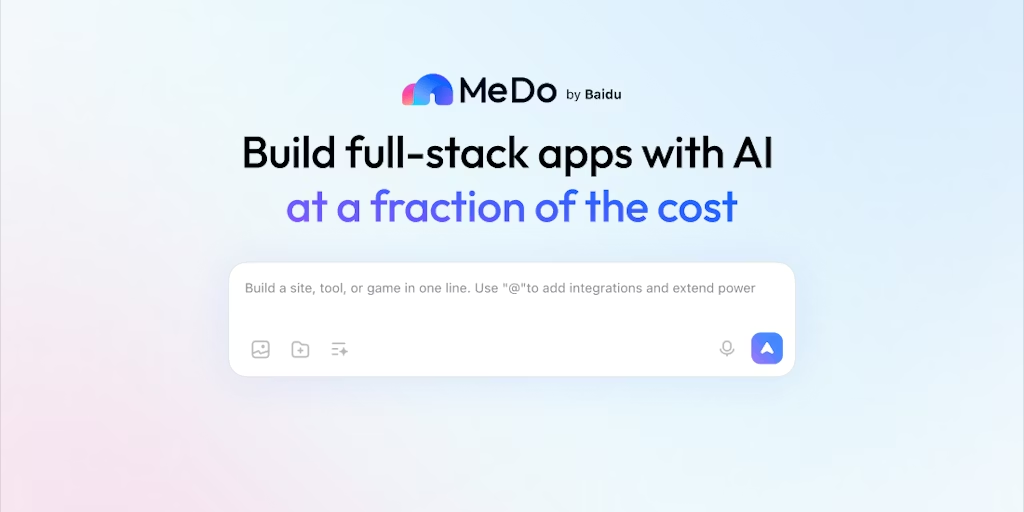
With MeDo, you can:
- Create full-stack apps from plain-English prompts, covering UI, backend logic, and data handling
- Generate and manage real application code without needing traditional development expertise
- Deploy apps quickly, reducing the time between idea and live product
- Build without infrastructure setup, making it accessible to non-technical founders and small teams
MeDo is built for speed and simplicity. It lowers the barrier to app creation by removing the need for frameworks, servers, or DevOps decisions. This makes it especially attractive for early-stage founders, rapid experiments, and proof-of-concept builds.
However, as applications evolve, requiring persistent workflows, deeper integrations, and greater control over how AI behaves across sessions, teams often find themselves looking for capabilities beyond MeDo’s core offering.
Looking for the Best MeDo Alternative in 2026?
As AI-powered app builders become more popular, expectations are rising. What starts as a fast way to ship an idea often turns into the foundation for a real product, and that’s where limitations begin to show.
Many teams start searching for a MeDo alternative because:
- They need apps that remember users and workflows across sessions
- Their use cases have grown beyond single-step or short-lived logic
- APIs, databases, and external services must work together reliably
- They want production-ready deployment, not just generated apps
- Team collaboration, permissions, and auditability become important as teams scale
At this stage, speed alone isn’t enough. Teams need structure, persistence, and control.
That’s where CodeConductor stands out as the best MeDo alternative in 2026, built for secure AI apps that are meant to last. CodeConductor goes beyond app generation, enabling persistent workflows, deeper integrations, and scalable deployment designed for real-world products.
CodeConductor vs MeDo – Deep Dive Feature Comparison
Both MeDo and CodeConductor help teams build applications with AI, but they’re built for very different stages of the product journey.
MeDo focuses on speed and simplicity. CodeConductor focuses on control, persistence, and scale.
Here’s how they compare:
| Capability | MeDo | CodeConductor |
|---|---|---|
| App Generation | AI-generated full-stack apps from prompts | AI-driven workflows with structured logic |
| Persistent Memory | Session-based | Persistent across users, sessions, and workflows |
| Workflow Complexity | Basic, linear flows | Multi-step, conditional, and long-running workflows |
| Integrations | Limited integrations | APIs, databases, cloud services, SaaS tools |
| Deployment Control | Platform-managed hosting | Flexible deployment (cloud, private, hybrid) |
| Collaboration | Basic | Role-based access, permissions, audit logs |
| Scalability | MVPs and demos | Production-ready AI systems |
| Monitoring & Control | Minimal | Workflow visibility, execution tracking |
MeDo works well when the goal is to generate an app quickly. But when AI behavior needs to be predictable, reusable, and connected across systems, CodeConductor offers the structure and persistence that real products demand.
Which One Should You Use: MeDo or CodeConductor?
The right choice depends on what you’re building today, and what you expect your product to become tomorrow.
Use MeDo if you’re moving fast and keeping things simple:
- You want to generate a full-stack app quickly from a prompt
- You’re building a demo, MVP, or proof of concept
- Your logic is short-lived and doesn’t need to persist across sessions
- You’re prioritizing speed over long-term flexibility
- Goal: Get an idea live fast with minimal setup
Use CodeConductor if you’re building AI apps that need to grow:
- Your app needs to remember users, states, and workflows
- You’re connecting multiple services, APIs, or databases
- You want control over how and where your app is deployed
- You need collaboration, permissions, and operational visibility
- Goal: Launch production-ready AI systems that scale with your business
Real Feedback on CodeConductor
Francesca C. – CodeConductor Important tool
What do you like best about CodeConductor?
The code of conduct is used by my company for a series of behaviors to be observed towards colleagues and customers, it is very useful to understand all the regulations in your country.
What do you dislike about CodeConductor?
It helped me on how to behave with a customer, what to say and not say to colleagues so as not to offend their sensitivity and avoid problems of incorrect conduct.
What problems is CodeConductor solving and how is that benefiting you?
Helps with how certain corporate affairs should be resolved, such as managing corporate agreements with very important clients, avoiding making legal mistakes and getting into disputes with the country they belong to.
In a Nutshell: Which Is the Best Alternative for MeDo in 2026?
If your goal is to generate a full-stack app quickly from a prompt, MeDo is a strong place to start. It’s fast, accessible, and removes much of the friction from early app development.
But if you’re building AI apps that need to:
- Remember users and workflows across sessions
- Handle multi-step logic and long-running processes
- Integrate deeply with APIs, databases, and internal systems
- Deploy reliably as your product scales
- Support teams with visibility, permissions, and control
Then CodeConductor isn’t just a MeDo alternative, it’s the platform built for what comes next.
MeDo helps you launch fast. CodeConductor helps you build systems that last.
Ready to move beyond app generation? Start building production-ready AI workflows with CodeConductor today.
Best MeDo Alternative – Try it Free
FAQs
What is the best alternative to MeDo in 2026?
CodeConductor is the best MeDo alternative for teams that need persistent AI workflows, advanced integrations, and production-ready deployment. It goes beyond app generation to support scalable, long-term AI systems.
What is the best alternative to MeDo in 2026?
CodeConductor is the best MeDo alternative for teams that need persistent AI workflows, advanced integrations, and production-ready deployment. It goes beyond app generation to support scalable, long-term AI systems.
Which no-code platform is best for enterprise AI applications?
For enterprise AI applications, CodeConductor is a strong no-code platform because it supports persistent workflows, role-based access control, enterprise integrations, and flexible deployment. Unlike lightweight app generators, it is designed to handle complex logic, compliance needs, and long-running AI processes used by large teams.

Founder CodeConductor