An AI coding agent can inspect a repository, propose edits, and run tests while sending its prompts to a cloud model. That is convenient, but it is not always appropriate for proprietary source code or development environments without reliable internet access. A local model changes the inference path: the agent talks to a server on the same computer, and that server generates the response using downloaded model weights.
The setup does not require writing a new agent framework. A local OpenAI-compatible endpoint can replace a hosted model URL in many existing agent clients. This tutorial uses Atomic Chat as the local inference runtime, then connects an agent through a loopback address. It includes commands to inspect the endpoint, a minimal request, a configuration checklist, and a small repository-review task. The walkthrough follows Atomic Chat's documented local-server workflow, with commands and checks that make each stage easy to reproduce.
What Actually Runs Locally?
Three components make up the workflow. First, an agent application manages the task, reads files, and invokes tools. Second, an inference server exposes a chat API. Third, a downloaded model produces responses on the computer's CPU or GPU. An agent is not itself a model; it is the orchestration layer around one.
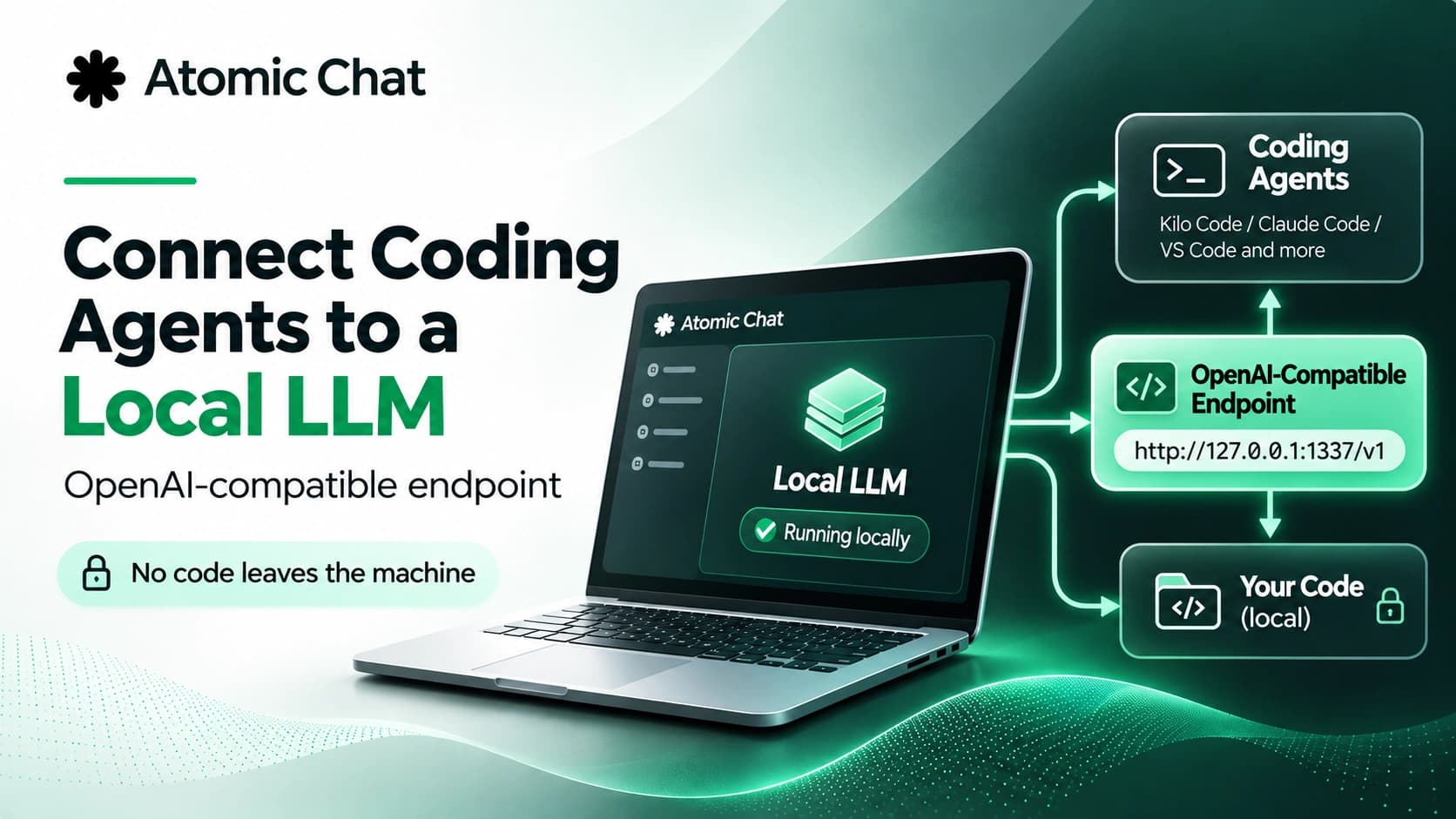
Atomic Chat provides a local model runtime and an OpenAI-compatible server. Its local LLM page documents the ability to run models offline and connect coding agents without per-token cloud API charges. The default server address is http://127.0.0.1:1337/v1, with the service bound to the loopback interface. That address matters: 127.0.0.1 is reachable from the same machine, not automatically from another computer on the network.
There is an important boundary to the headline claim. Local inference prevents the model request from being sent to a hosted LLM service. It does not automatically stop the agent from using remote Git services, browser tools, package managers, telemetry, or other network-connected integrations. To keep code on the machine, those capabilities must also be reviewed and restricted.
Prerequisites
A Windows, macOS, or Linux desktop; enough memory for a coding-capable local model; Atomic Chat installed; a downloaded model with tool-calling support; and an agent that can connect to an OpenAI-compatible endpoint are needed. The model download and any first-time agent installation require connectivity. After setup, the inference workflow can operate without an external model API.
Atomic Chat's built-in TurboQuant also compresses the KV cache; the company says it makes long-chat memory use 6x smaller. Model size should match the available memory. Atomic Chat's guidance gives rough hardware bands: about 8GB memory for smaller 8B-class models, 16GB for 14B, and more for larger models. Those are general recommendations rather than guarantees of agent performance. Tool-calling capability and enough usable context are often more important for an agent than a model's raw parameter count.
Step 1: Install Atomic Chat and Load a Coding Model
Download the desktop application from the Atomic Chat local LLM page and install it. Open the model browser, choose a coding-oriented model that fits the computer, and download its weights. The catalogue can change, so confirm the specific model's tool-calling support rather than selecting by name alone. For a concrete comparison, consider Nanbeige4.3-33B (about 21.2 GB) for a higher-memory desktop or Spark-X2.6-4B (about 2.8 GB) for a smaller setup. Verify tool-calling compatibility in the chosen model build.
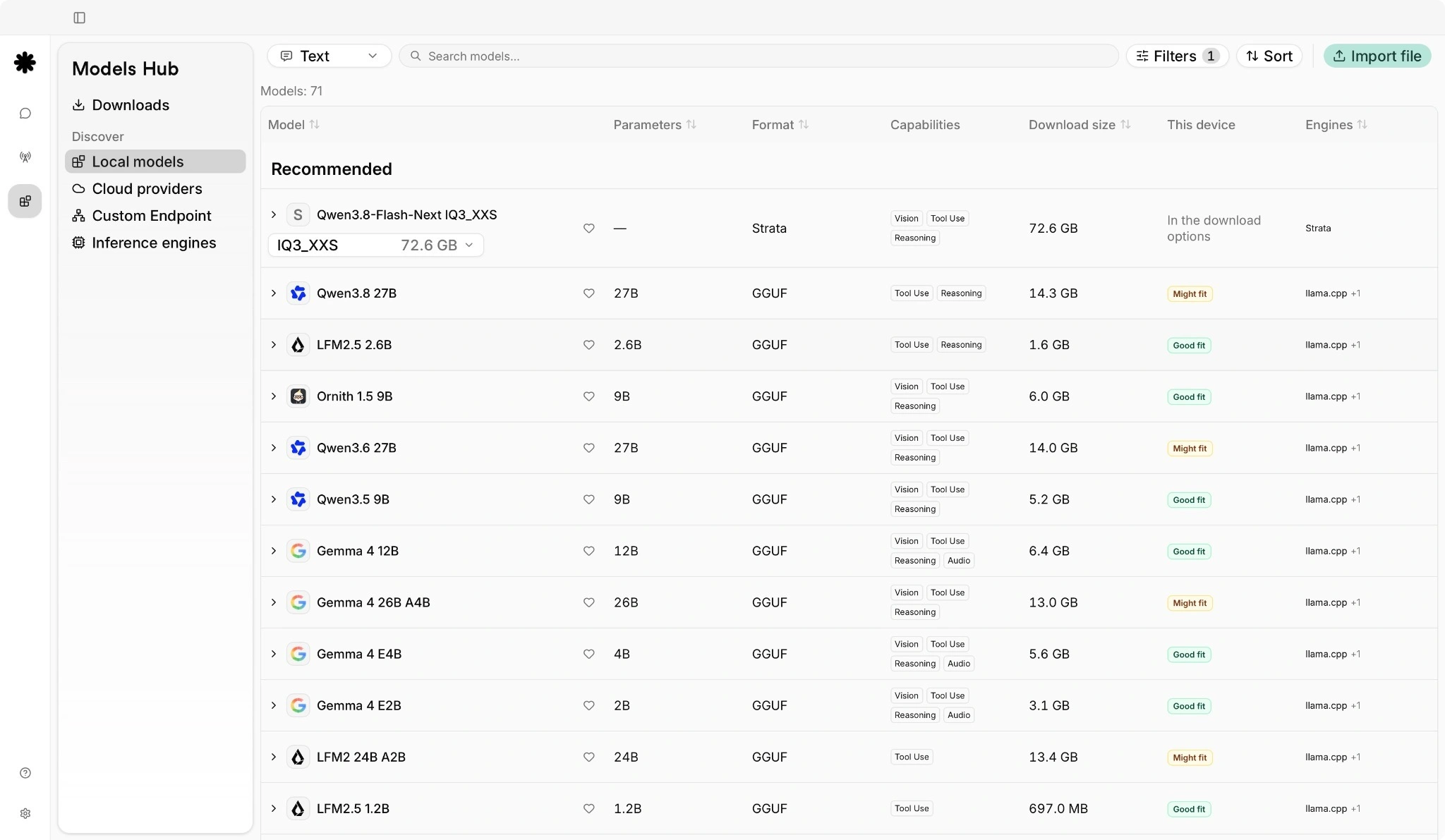
Open Models Hub → Local models. Compare download size, device fit, and Tool Use support.
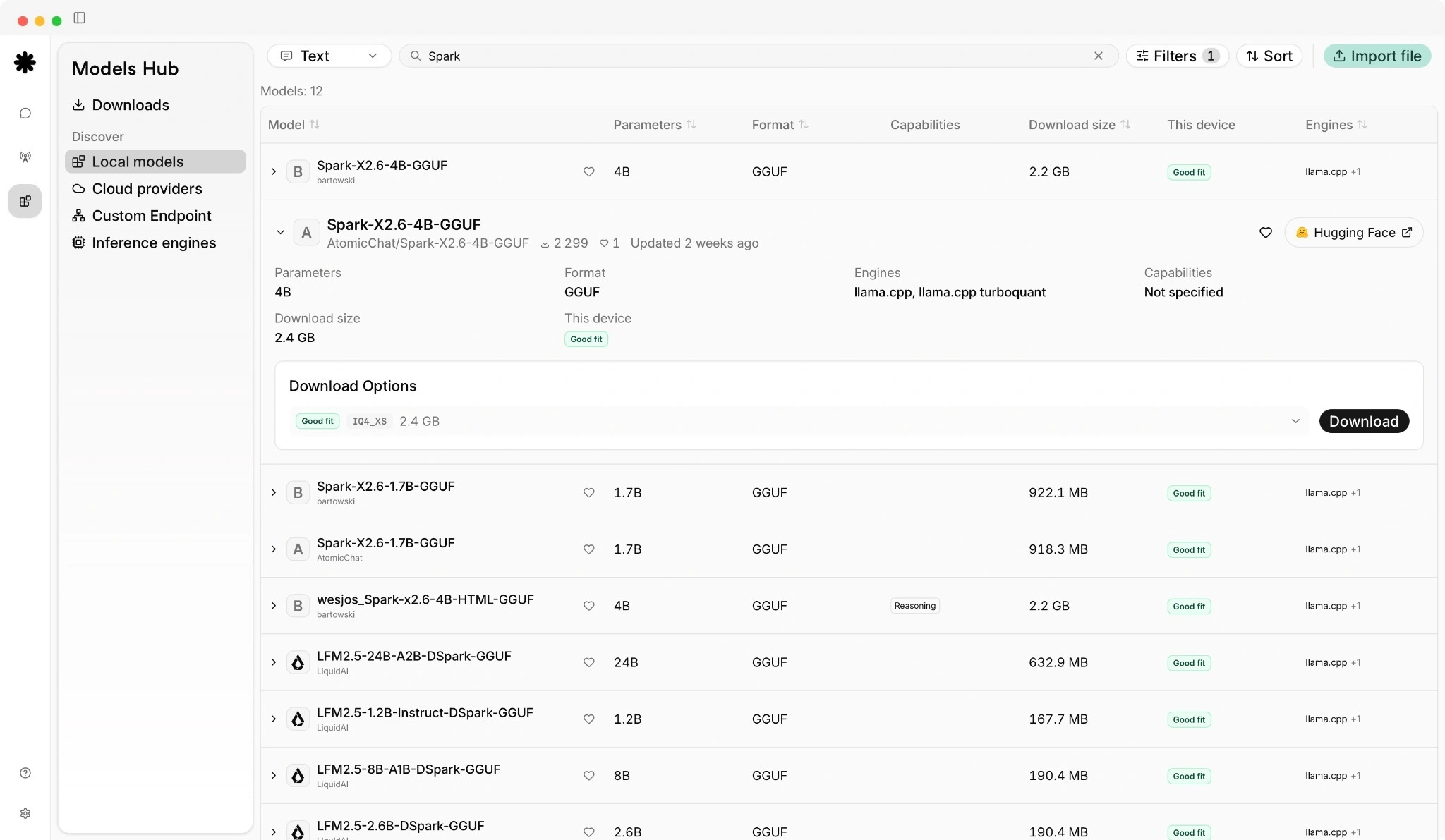
Expand a model to inspect its quantization and download size. This optional Spark example shows IQ4_XS at 2.4 GB; the setup example uses LFM2.5 1.2B.
After the download finishes, open a chat with the selected model and ask a small question. Once the model answers, move on to the API server. Agent tool calling is a separate capability, so verify it with a tool-enabled agent task later in the guide.
Step 2: Start the OpenAI-Compatible Server
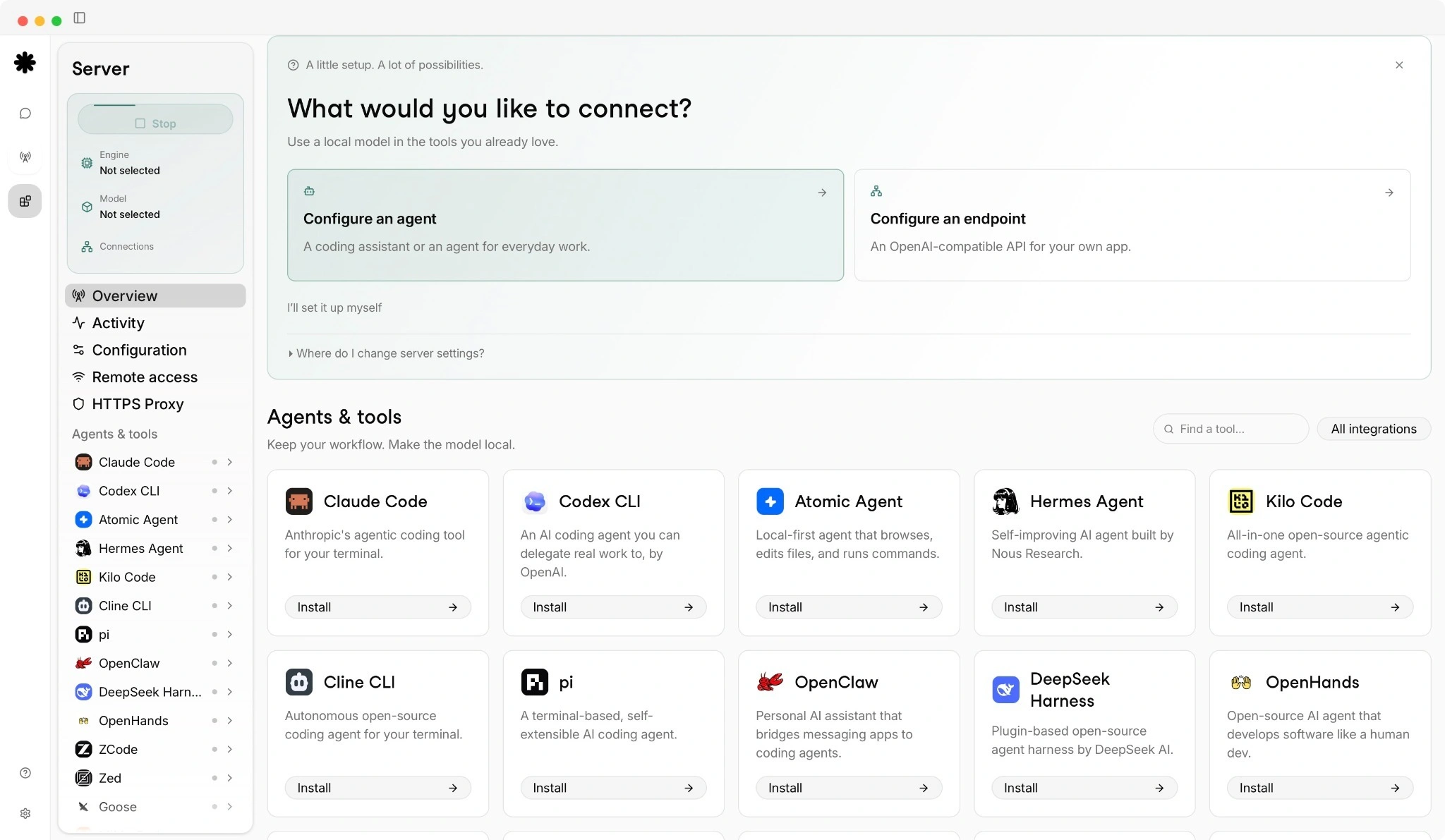
Open Server and choose Configure an endpoint to create a local API connection.
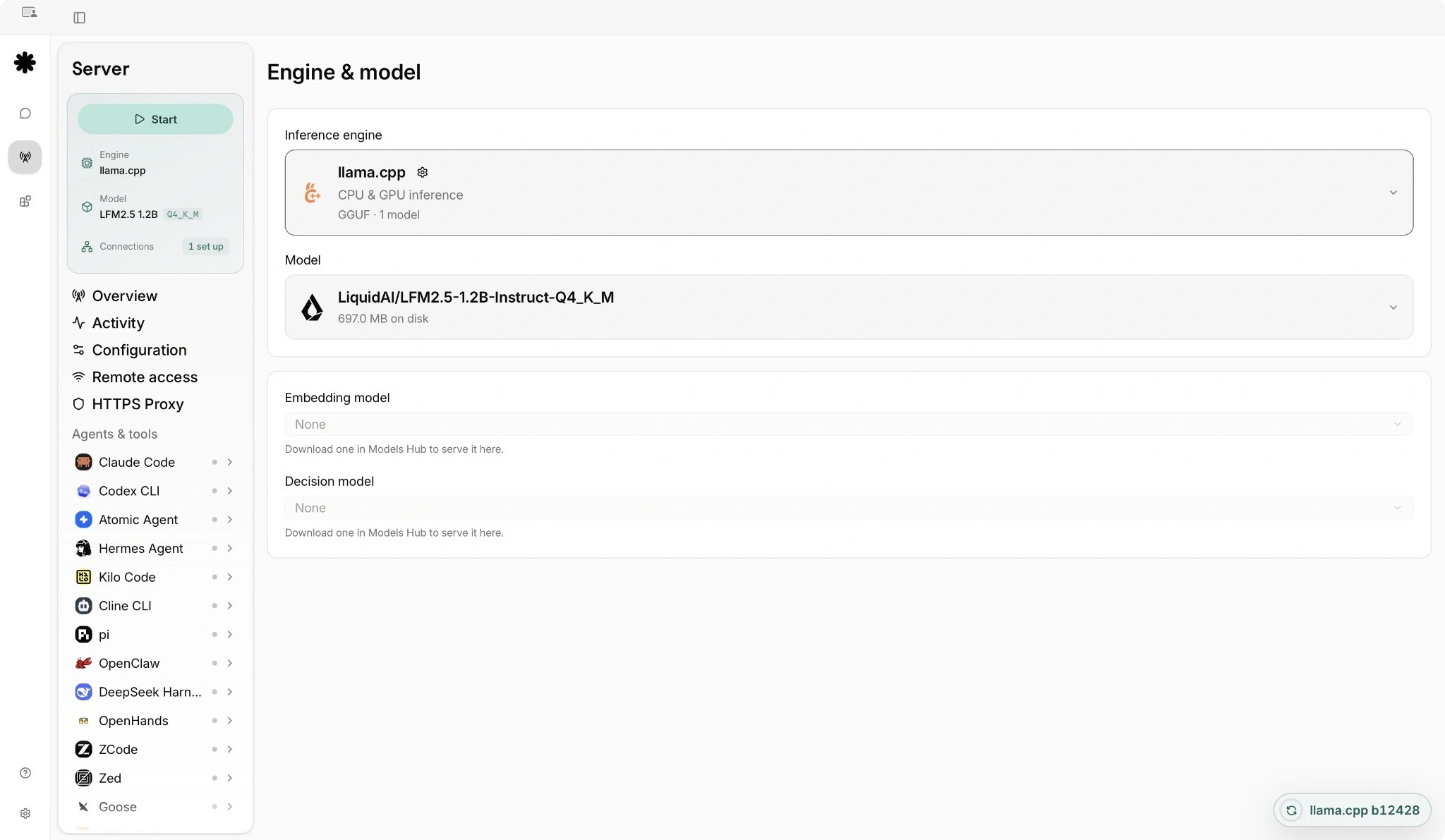
Select llama.cpp and the downloaded LFM2.5 1.2B Q4_K_M model. The server is stopped in this screenshot.
In Atomic Chat, open Settings → Local API Server. Select the downloaded model as the default model for the server, keep Server Host at 127.0.0.1 and Server Port at 1337, and click Start Server. Open Server Logs to check for startup errors. The standard API prefix is /v1.
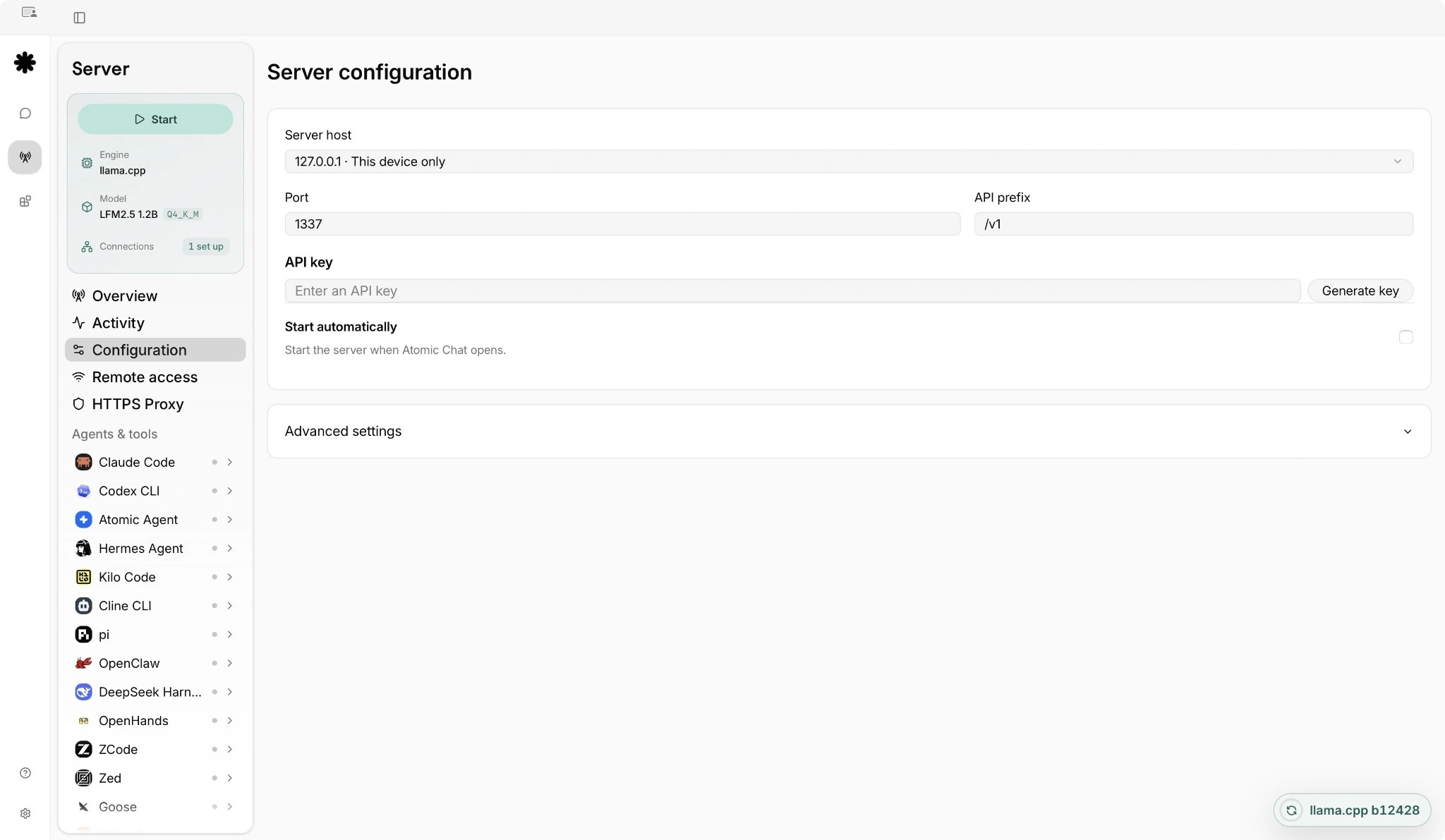
Use the loopback host 127.0.0.1, port 1337, and API prefix v1.
From a terminal on the same computer, request the model list:
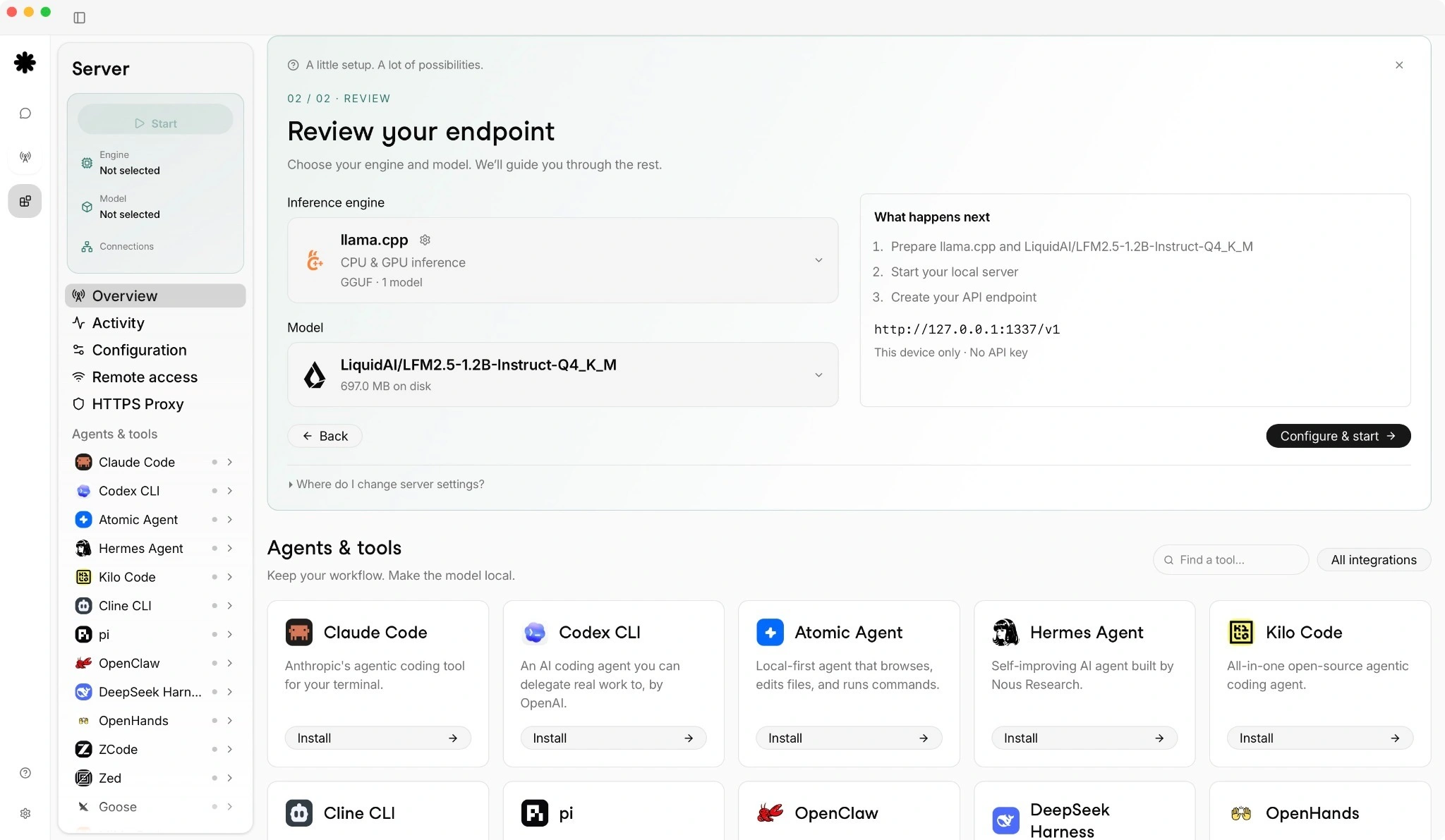
Confirm the selected engine and downloaded model before choosing Configure & start.
curl http://127.0.0.1:1337/v1/models
The endpoint returns a JSON model list when the local server is running and a model is available. Copy an exact model ID from that response into the agent configuration. Do not substitute a model's display name unless it matches the returned ID. Atomic Chat also provides an interactive API reference through its server's Swagger UI.
Get insights in your inbox!!
Weekly tips on building smarter apps. Join 8,200+ founders and builders.
No spam. Unsubscribe anytime. We respect your privacy.
Step 3: Verify Chat Completions Before Connecting an Agent
Send a minimal non-streaming request to confirm the endpoint accepts the familiar OpenAI chat-completions shape. Replace MODEL_ID_FROM_MODELS with the identifier returned in Step 2.
curl http://127.0.0.1:1337/v1/chat/completions \

  -H 'Content-Type: application/json' \

  -d '{

    "model": "MODEL_ID_FROM_MODELS",

    "messages": [

      {"role": "system", "content": "Answer briefly."},

      {"role": "user", "content": "What does git diff show?"}

    ],

    "stream": false

  }'
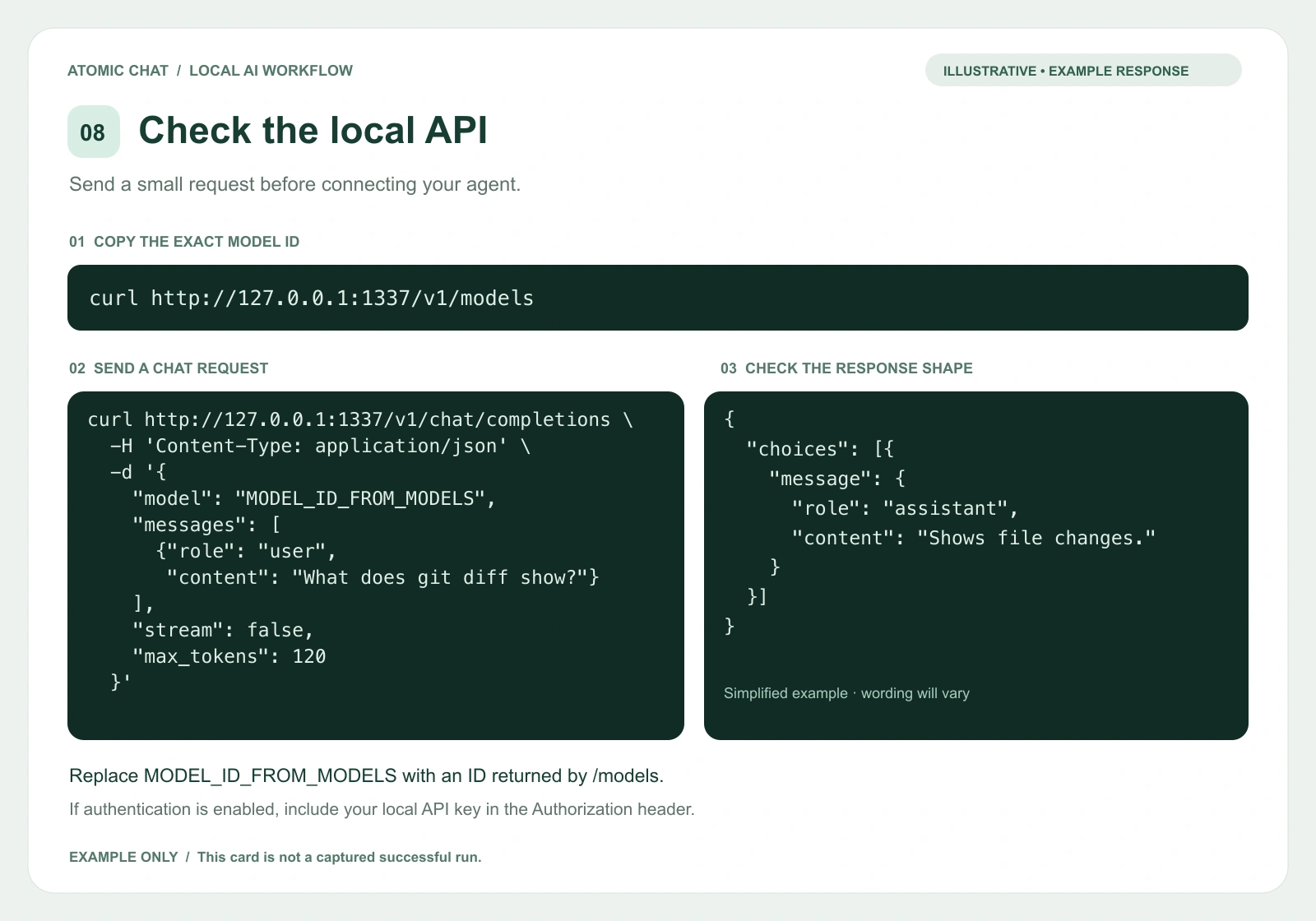
Send a minimal chat-completions request to the local endpoint. The JSON response is a simplified illustrative example, not output from a recorded run.
The chat-completions response uses the familiar choices structure with an assistant message. Its wording depends on the selected model and prompt. If Atomic Chat's server is configured to require an API key, include Authorization: Bearer YOUR_LOCAL_KEY and use that same value in the agent. The loopback server may not require a key by default, but individual clients sometimes insist on a nonempty key field.
Step 4: Point an Agent at localhost
In the chosen agent's model-provider settings, select a custom OpenAI-compatible provider or equivalent. Enter the local server URL, exact model ID, and matching key configuration. The labels vary between agents, but the essential fields are the same.
Connection settings at a glance
Setting | Example value | Purpose |
Provider type | OpenAI-compatible / Custom | Uses existing client adapter |
Base URL | http://127.0.0.1:1337/v1 | Local inference endpoint |
Model | Exact ID from GET /models | Matches downloaded model |
API key | Local key if configured | Authentication when enabled |
Tool calling | Supported model + client | Needed for agent actions |
Atomic Chat also offers integrations for supported coding tools, including agent launchers and manual connection settings. If a launcher is available for the installed client, it may be simpler than entering every field manually. For a transparent setup, the custom-provider route makes the destination of model requests visible.
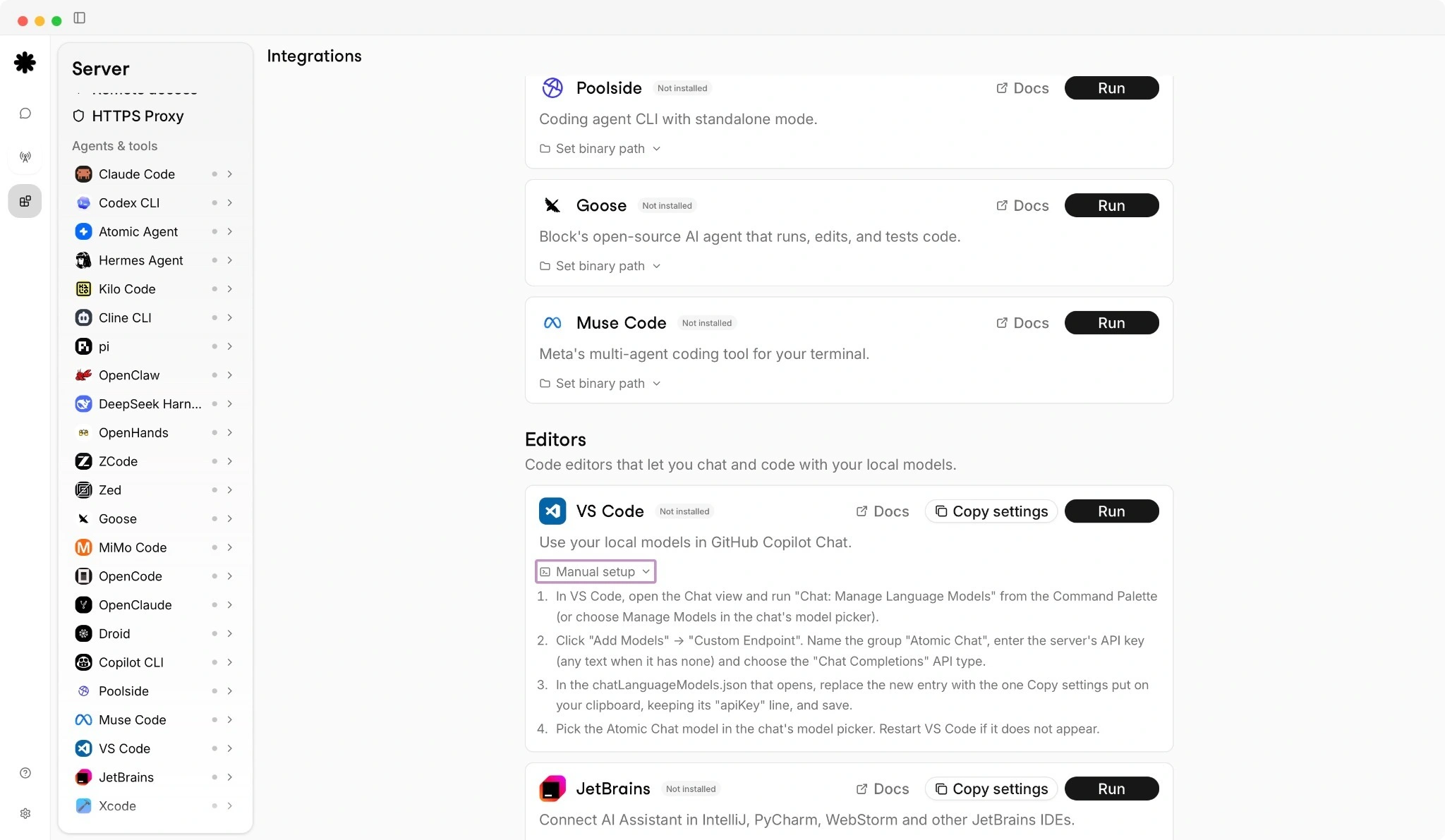
Atomic Chat includes manual setup instructions for supported editors. This screenshot shows the VS Code integration instructions.
Not every agent accepts a generic OpenAI-compatible endpoint. Some require a particular adapter or protocol, and others have provider-specific restrictions. Check the selected agent's documentation instead of assuming that an OpenAI-looking URL alone guarantees compatibility.
Step 5: Give the Agent a Small, Safe Repository Task
Use a disposable local repository or a clean Git branch. Start with a read-only task before allowing edits or shell commands. For example:
Inspect the current repository without changing files. Find the function that validates configuration input, summarize its behavior, and identify one edge case that deserves a unit test. Cite the file path and line numbers.
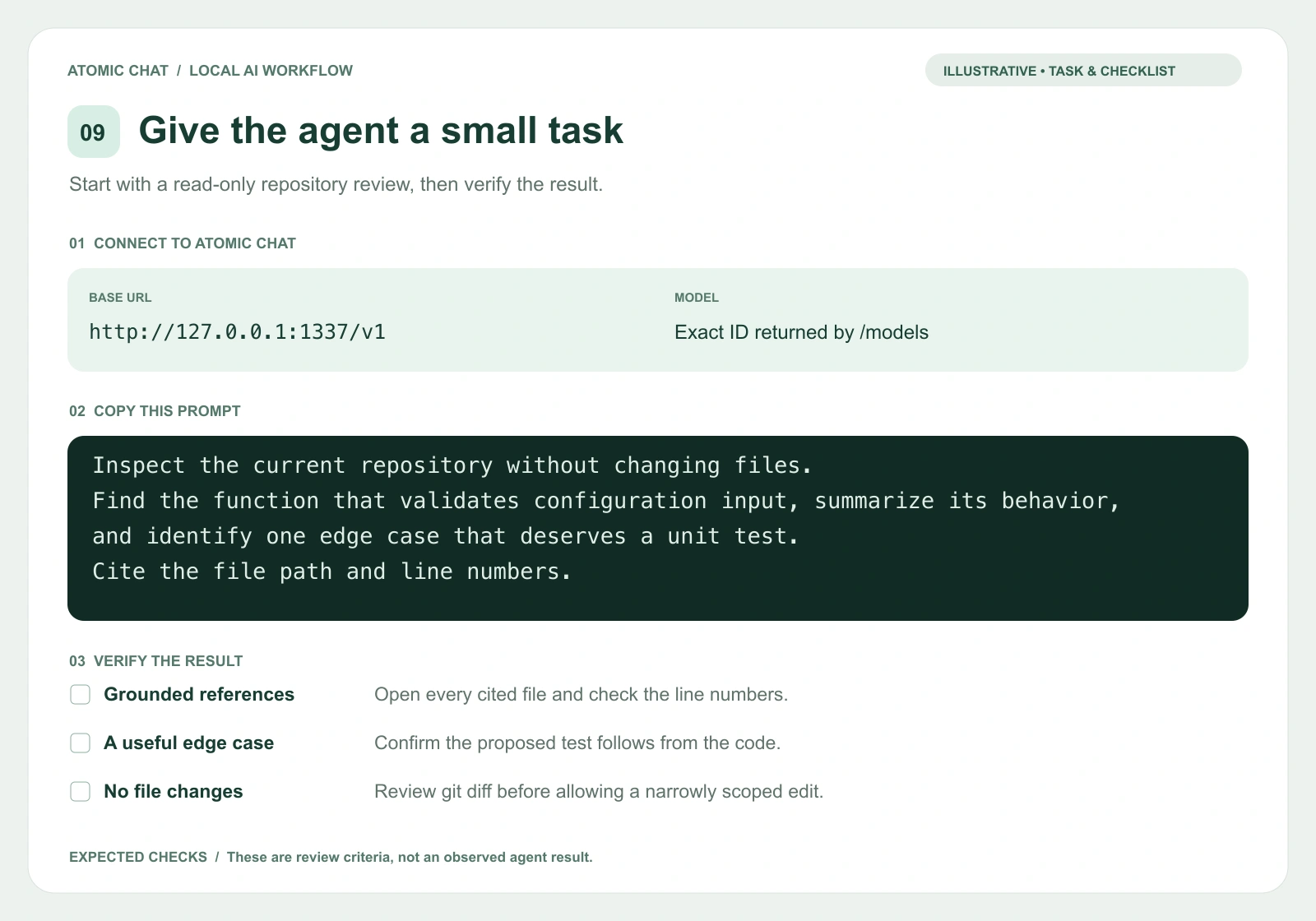
Use a read-only repository-review prompt and verify file references, the proposed edge case, and the absence of file changes. The checklist describes expected checks, not an observed agent result.
The agent should read local files, ask the local model for analysis, and return a grounded answer. Compare every cited path and line number with the repository. Then allow a narrowly scoped edit, such as adding one test, and review the diff before accepting it. Agent tools can still make mistakes even when the underlying model runs locally.
For a stricter offline check, disconnect Wi-Fi after the application, model, and dependencies have been installed. Run the same read-only task and inspect the local server logs. This verifies the offline inference path while leaving the separate question of agent integrations and outbound connections for the security checks below.
Troubleshooting: Where Local Agent Setups Usually Fail
The model list is empty
Confirm that the server is running and a model is loaded. Recheck host, port, and API prefix. If the client runs inside Docker or WSL, its localhost may refer to a different network namespace. Use a deliberately configured bridge only if necessary; avoid exposing the model server on a public interface.
Chat works, but the agent cannot use tools
A model can answer text prompts without producing valid tool calls. Choose a model with documented tool-calling support and confirm that the agent's protocol adapter sends the required tool definitions. If the agent repeatedly loops or invents tool results, try a simpler task and inspect its trace.
TrendingArtificial Intelligence Tokenmaxxing in AI: Why Enterprise AI Must Focus on Outcomes
Tokenmaxxing is the practice of measuring enterprise AI success by token consumption instead of business outcomes. As companies increase AI spending, usage-based metrics can inflate costs, distort developer behavior, and make ROI harder to prove. This article explains why Amazon, Meta, Uber, and Microsoft are moving away from AI usage leaderboards, how token-based pricing creates overconsumption, and why outcome-based metrics like cost per shipped feature, resolved ticket, or completed workflow matter more than raw AI activity.
Requests time out or run out of context
Smaller machines may take longer to process large prompts. Reduce the agent's working context, use a smaller model or quantization, and adjust the server request timeout if needed. Atomic Chat documents a concurrency trade-off: when concurrent mode splits ctx_size across multiple slots, each request gets a smaller context allocation. A single-agent setup often benefits from one slot.
The agent asks for an API key
Some clients require a string even when the local endpoint does not enforce authentication. If the local server is configured with a key, use the same value on both sides. Avoid reusing a production cloud key for a local connection. A local credential is not a reason to bind the service to a public network interface.
Security Checklist: What “No Code Leaves the Machine” Requires
Local inference is one control, not an entire security policy. Keep the model server bound to loopback; disable cloud-model fallbacks; inspect agent telemetry and analytics settings; avoid remote search, remote MCP servers, and hosted tool integrations for sensitive tasks; restrict shell and filesystem permissions; and verify what network access remains available to the agent process.
The distinction between an offline model and an offline agent is essential. A local model cannot independently upload a repository, but an agent with a network-capable shell or remote tool may still do so. For highly sensitive code, use operating-system firewall rules or an isolated development environment, audit the agent's outbound connections, and require confirmation before file writes or command execution.
Local vs Hosted Inference for Coding Agents
Local inference avoids per-token hosted-model charges and gives the developer more control over where model prompts are processed. Hosted inference can provide larger models and simpler hardware requirements, but introduces network dependence and provider-specific data-processing considerations. Local models may be slower on limited hardware and can struggle with complex tool-use loops. The right choice depends on repository sensitivity, task complexity, hardware, and required reliability.
Conclusion
A local OpenAI-compatible endpoint makes it possible to reuse existing coding-agent workflows without routing every prompt to a cloud LLM. With Atomic Chat, the practical sequence is straightforward: download a suitable model, start the server at 127.0.0.1:1337/v1, verify /models and /chat/completions, and configure the agent to use the same model ID. The more important operational step is ensuring that the agent's own tools and integrations respect the intended privacy boundary. Local inference can keep model processing on the machine; keeping all code local requires configuring the whole agent environment accordingly.
Written by
Paul Dhaliwal
Founder & Chief Executive Officer
Paul Dhaliwal is a tech innovator and Founder of CodeConductor, an open-source no/low-code platform. With 10+ years of experience in AI and scalable development, Paul focuses on crafting intelligent solutions that drive real-world value. A firm believer in the mantra "Eat, Sleep, Code, Repeat," he balances his passion for software with a love for travel and family.