Best LM Studio Alternatives: Beyond Local AI Models in 2026 | CodeConductor
AI/ML
Best LM Studio Alternatives: Beyond Local AI Models in 2026 [Comparison]
Explore the best LM Studio alternatives for local AI models, private AI, and business knowledge workflows. Compare Knolli, Ollama, Jan.ai, Open WebUI, AnythingLLM, GPT4All, Msty, LibreChat, LocalAI, and text-generation-webui to find the right tool for local LLM testing, document chat, self-hosted AI, or private AI copilots for teams.
Are LM Studio alternatives only useful for running local AI models, or can they help teams use private AI across real business knowledge?
The answer depends on the goal.
LM Studio is a strong desktop tool for testing local LLMs, open-weight models, offline chat, and prompt experiments, but many teams need more than a single-user model runner. They need private AI that can work with company documents, internal knowledge, connected tools, permissions, and repeatable workflows.
AI adoption is already moving from experimentation into business operations.
Federal Reserve research on AI adoption in the U.S. economy found that about 18% of U.S. firms had adopted AI by the end of 2025, which explains why teams are now comparing local AI tools, self-hosted chat interfaces, document AI workspaces, and business AI copilots before choosing a platform.
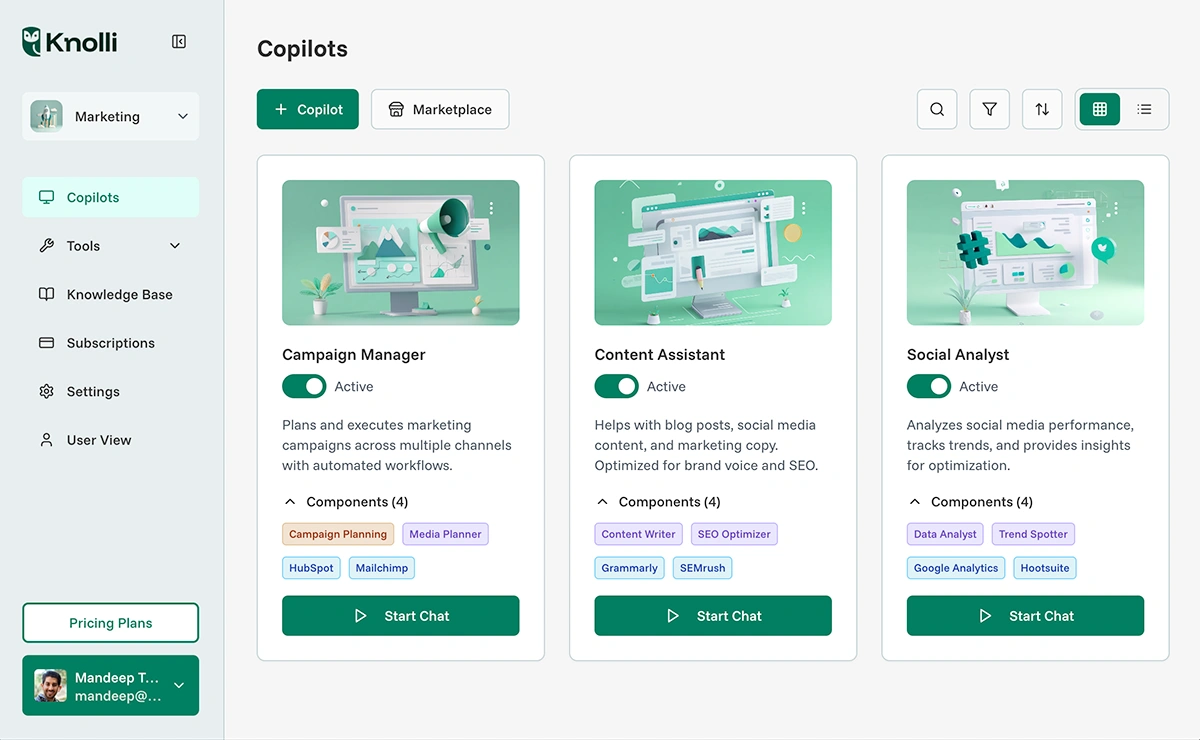
For teams comparing LM Studio alternatives, Knolli private AI copilots stand out because they are not limited to local model testing. Knolli is built for private AI copilots that help teams use company knowledge, business documents, and workflows practically. Tools like Ollama, Jan.ai, Open WebUI, AnythingLLM, GPT4All, Msty, LibreChat, LocalAI, and text-generation-webui each serve a specific local or technical AI need, but Knolli is the better fit when private AI must support shared business work. CodeConductor, part of the same broader AI product ecosystem, extends that path later for teams that want to build governed AI-powered apps and agents.
What is LM Studio, and Why Do Users Look for Alternatives?
LM Studio is a desktop application for running, downloading, managing, and chatting with local large language models on a user’s own computer.
According to theofficial LM Studio documentation, users can download and run local LLMs, use a chat interface, connect MCP servers, search and download models through Hugging Face, serve local models through OpenAI-like endpoints, and manage local models, prompts, and configurations.
LM Studio is useful for individual AI testing because it gives users control over model choice, local setup, and response behavior. Developers can use it for lightweight coding help, local research, prompt testing, and private experiments from one machine.
Users look for LM Studio alternatives when they need a different workflow. Some users want a command-line model runtime. Some want an open-source desktop AI app. Some want a self-hosted browser interface. Others want AI that can work with files, knowledge bases, internal tools, and team workflows.
A good LM Studio alternative should match the job the user wants to complete:
User need
Better-fit tool type
Run local models through an API
Developer runtime
Use an open-source desktop AI app
Local AI client
Give users a browser-based AI workspace
Self-hosted chat interface
Chat with files and knowledge bases
Document AI workspace
Keep AI simple and offline
Personal local AI app
Use private AI across company knowledge
Business AI copilot
Tool choice also depends on risk and control. The NIST AI Risk Management Framework gives organizations a structured way to think about AI trust, security, privacy, reliability, and human oversight. Those factors matter when a team chooses between a local AI tool, a self-hosted interface, and a business AI copilot.
So the better question is not only, “Which tool can run a model?” The better question is, “Which AI tool fits the way I work?” Choose a local LM Studio alternative for testing models, prompts, and APIs. Choose a business AI copilot when AI needs shared knowledge, company context, and repeatable workflows.
Best LM Studio Alternatives in 2026
The best options are Knolli, Ollama, Jan.ai, Open WebUI, AnythingLLM, GPT4All, Msty, LibreChat, LocalAI, and text-generation-webui. Each tool fits a different AI workflow, but Knolli is the best overall choice for teams that need private AI over company knowledge, documents, and business workflows.
1. Knolli: Best Overall LM Studio Alternative for Private AI and Team Knowledge
Knolli private AI copilots are the strongest choice for teams that want AI to work with business knowledge instead of isolated local chats. Knolli helps teams turn company documents, internal knowledge, and business workflows into private AI assistance that is easier for non-technical users to adopt.
Knolli is best when the goal is shared business value. A local model tool can help one person test prompts or run a model, but Knolli helps a team ask questions, find information, and work with business context in one private AI environment.
Choose Knolli if your team needs:
Private AI copilots for business knowledge
AI support across documents and workflows
A simpler experience for non-technical users
Shared knowledge access for teams
A better path from AI testing to daily business use
Get insights in your inbox!!
Weekly tips on building smarter apps. Join 8,200+ founders and builders.
No spam. Unsubscribe anytime. We respect your privacy.
Knolli is not the best fit for users who only want offline local model testing. For that narrow use case, tools like Ollama, Jan.ai, or GPT4All may be more suitable. But for teams that want private AI connected to real company work, Knolli is the best LM Studio alternative.
2. Ollama: Best for Local Developer Runtime
Ollama is best for developers who want a local model runtime with command-line control and API-first workflows. It is useful for testing models, building prototypes, and connecting local LLMs to development projects.
Choose Ollama when the main need is technical control over local model execution. Choose Knolli when the main need is private AI for team knowledge and business workflows.
3. Jan.ai: Best Open-Source Desktop Alternative
Jan.ai is a strong option for users who want an open-source desktop AI app. It fits people who like the desktop-style experience of LM Studio but want a more open setup.
Choose Jan.ai for individual desktop AI use. Choose Knolli when the AI experience needs to support shared company knowledge and team workflows.
4. Open WebUI: Best Self-Hosted AI Chat Interface
Open WebUI is useful for technical users who want a browser-based AI interface that can run in a self-hosted setup. It often works well with local model runtimes and gives users more flexibility than a single desktop app.
Choose Open WebUI when your team has technical resources to manage a self-hosted AI interface. Choose Knolli when your team wants a business-ready private AI copilot without managing the full setup itself.
5. AnythingLLM: Best for Document Chat and AI Workspaces
AnythingLLM is useful for people who want AI to work with files, documents, and knowledge workspaces. It fits users who need document-based AI more than local model experimentation.
Choose AnythingLLM for document chat and workspace-style AI use. Choose Knolli when document AI needs to connect with broader business workflows and team knowledge.
6. GPT4All: Best Simple Offline AI App
GPT4All is best for users who want a simple offline AI app for personal use. It is useful for private desktop AI when the goal is simplicity rather than team collaboration.
Choose GPT4All for personal offline AI. Choose Knolli when the goal is private AI that supports a team, not just one user.
7. Msty: Best Polished Personal AI Workspace
Msty is a good fit for users who want a clean personal AI workspace with support for local and cloud model workflows. It is more suitable for individual productivity than business-wide AI adoption.
Choose Msty for a polished personal AI interface. Choose Knolli when AI needs to work across shared company context.
8. LibreChat: Best Open-Source Multi-Provider Chat UI
LibreChat is useful for technical users who want an open-source chat interface that can connect to multiple AI providers. It gives more control, but it also requires more setup and administration.
Choose LibreChat for open-source multi-provider chat. Choose Knolli when business users need a more direct path to private AI copilots.
9. LocalAI: Best Local OpenAI-Compatible API Server
LocalAI is best for developers who need local OpenAI-compatible API endpoints. It works more like backend infrastructure than a user-facing AI workspace.
Choose LocalAI for local API compatibility. Choose Knolli when the goal is business knowledge access and private AI assistance for teams.
10. Text-generation-webui: Best for Advanced Local Model Control
text-generation-webui is best for advanced users who want detailed control over local model settings, extensions, and generation behavior. It is powerful but technical.
Choose text-generation-webui for advanced local model control. Choose Knolli when your team needs private AI that is easier to use across business functions.
AI tool selection should match the risk, context, and user environment. The NIST AI Risk Management Framework supports this kind of risk-aware decision-making by encouraging organizations to evaluate AI systems based on trust, safety, privacy, reliability, and human oversight. For that reason, the best tool is not always the one that runs the most models. It is the one that fits the user’s work, data needs, and control requirements.
LM Studio Alternatives Compared: Which Tool Should You Choose?
Tool
Choose it when you need
Best user fit
Main decision signal
Knolli
Private AI over company knowledge and workflows
Business teams
Best choice when AI must support shared work
Ollama
Local model runtime and API workflows
Developers
Best choice when control over local execution matters
Jan.ai
Open-source desktop AI
Individual users
Best choice when desktop openness matters
Open WebUI
Self-hosted browser-based AI chat
Technical teams
Best choice when the team can manage its own setup
AnythingLLM
Document chat and knowledge workspaces
Knowledge workers
Best choice when files and knowledge bases are central
When Your Team Is Ready to Build With AI, Not Just Use AI
Choosing an AI tool is no longer just about running a model. It is about deciding how far AI should go inside your team’s work. If your team is ready to move from private AI assistance to building real AI-powered products, internal tools, and agents, the next step is a platform built for governed software creation.
CodeConductor helps teams turn AI-driven ideas into production-ready apps and agents with stronger control over development workflows, governance, deployment, and team collaboration. It gives engineering, product, and business teams a clearer path from AI experimentation to shipped software.
Ready to build with AI instead of only testing it? Explore CodeConductor’s AI software development platform and see how your team can create, govern, and ship AI-powered apps with confidence.
Pick tools based on workflows, not just local model execution.
Use LM Studio for single-user local testing, prompts, and offline chat.
Choose business copilots like Knolli for shared documents, permissions, workflows.
Evaluate alternatives using NIST AI risk factors: security, privacy, reliability, oversight.
Written by
Paul Dhaliwal
Founder & Chief Executive Officer
Paul Dhaliwal is a tech innovator and Founder of CodeConductor, an open-source no/low-code platform. With 10+ years of experience in AI and scalable development, Paul focuses on crafting intelligent solutions that drive real-world value. A firm believer in the mantra "Eat, Sleep, Code, Repeat," he balances his passion for software with a love for travel and family.
⚡
Build your app
No coding. No designers. Just describe what you want and watch AI build it.

![What Is Moyai? LiteLLM's Open-Source Cloud Coding Agent [Explained]](/_next/image/?url=%2Fuploads%2Fmoyai-open-source-coding-agent-codeconductor-592f003d-800.webp&w=3840&q=75)