What Is Moyai? LiteLLM's Open-Source Cloud Coding Agent [Explained]
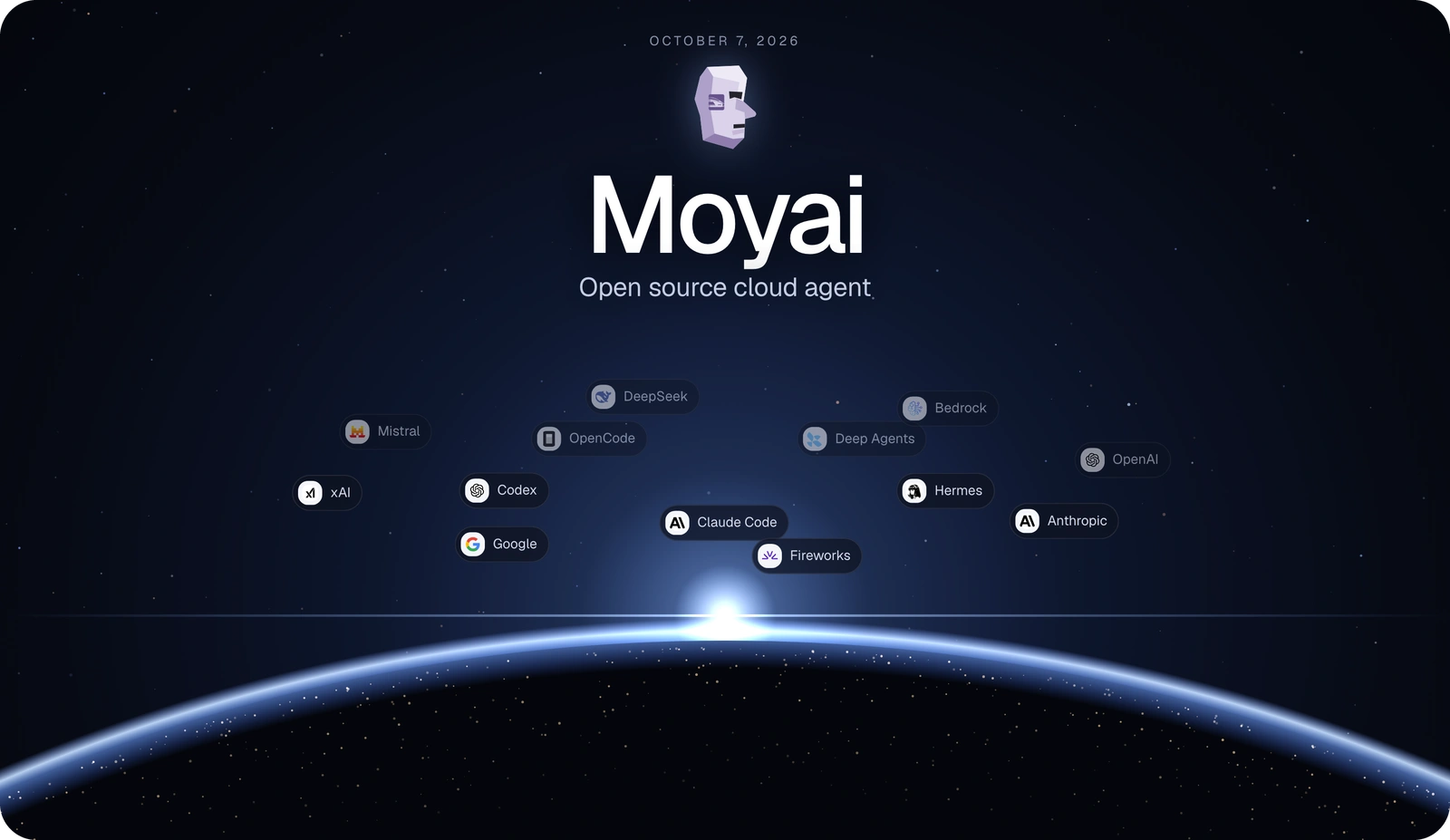
Moyai is an open-source, self-hosted cloud coding agent developed by LiteLLM. It automates software development tasks, including code editing, testing, and GitHub pull request creation, using isolated cloud workspaces. Learn how Moyai works, its key features, supported AI models, costs compared with Devin, setup requirements, and limitations.
Paul Dhaliwal
Founder & Chief Executive Officer · Updated Oct 15, 2026·16 min read
What You'll Learn
4 key concepts covered
1What Moyai is and how it differs from IDE coding assistants.
2How Moyai runs tasks in isolated cloud workspaces with persistent sessions.
4How to integrate Moyai with Slack, web UI, models, and agent harnesses.
Can an open-source AI coding agent automate software development tasks without the high operating costs of managed platforms?
Moyai is an open-source, self-hosted cloud coding agent from LiteLLM that edits code, runs tests, and opens GitHub pull requests from isolated cloud workspaces.
It supports background task execution, persistent sessions, multiple AI models, and agent harnesses such as Claude Agent SDK and Codex.
Released as open source on October 7, 2026, Moyai offers an alternative to managed autonomous coding agents like Devin. LiteLLM reports that switching to Moyai reduced its internal coding-agent spending by approximately 79% over 31 days. (Source)
Quick Answer: What Is Moyai?
Moyai is a self-hosted AI coding agent developed by LiteLLM that automates development tasks in cloud sandboxes.
Developers assign work through Slack or a browser, and Moyai edits code, executes tests, and creates pull requests for review. It supports multiple agent harnesses and connects to AI model providers through LiteLLM.
The Moyai open-source coding agent gives engineering teams more control over agent execution, model selection, and infrastructure. Understanding its architecture, costs, and technical limitations helps teams determine whether it fits their development workflows.
What is Moyai & What Can it Do?
Moyai is an autonomous cloud coding agent that runs software development tasks in self-hosted infrastructure. Developed by LiteLLM, it lets developers delegate coding work without constantly supervising every command or file change.
Unlike traditional AI coding assistants that mainly offer suggestions within an IDE, Moyai runs through task-based workflows. Developers describe the required change, and the agent performs supported development operations inside a dedicated cloud workspace.
Background code execution: Agents modify source files, run commands, and execute available tests.
GitHub pull requests: Moyai prepares repository changes for developer review.
Slack and browser integration: Developers submit tasks and provide additional instructions through supported interfaces.
Isolated cloud workspaces: Each session operates inside a separate execution environment.
Persistent session history: Users can search saved conversations, review previous work, and resume supported tasks.
Parallel coding tasks: Multiple agents can work on independent development activities.
Moyai also provides session search across titles, original requests, and saved user and assistant messages.
Developers can retrieve a session identifier by asking, "What is this session's ID?" or using /session-id in supported web or Slack conversations. These standalone requests do not require additional model inference.
These capabilities make Moyai relevant to tasks such as implementing features, investigating bugs, updating tests, and preparing code changes.
How Does Moyai Work?
Moyai uses an agent orchestration workflow that connects user instructions, AI models, development tools, and cloud sandboxes. It runs the selected coding agent in an isolated workspace and maintains session information throughout task execution.
The typical Moyai workflow includes five stages:
Task submission: A developer assigns work through Slack or the web interface.
Session initialization: Moyai creates an agent session and prepares its cloud workspace.
Code execution: The agent inspects repository files, modifies code, and runs supported tools.
Validation: The agent executes available tests and prepares code changes.
Review: The developer examines the results, requests corrections, or reviews the generated pull request.
This design separates task coordination, model inference, and code execution.
A sandbox provides the working environment for repository files, development commands, dependency installation, and test execution.
The platform supports cloud runtime options documented in its repository, including Modal (the default) and Substrate. Teams should verify currently supported infrastructure providers before deployment.
For larger workflows, Moyai can distribute independent work across parallel agents operating in separate execution environments.
Parallel execution can help teams process unrelated development tasks concurrently. However, resource consumption increases with additional active sandboxes, and overlapping code changes may require coordination.
Moyai also supports persistent sessions and conversation history.
Developers can review previous instructions, inspect saved files, send corrections during execution, and resume supported workflows without treating every interaction as a completely new task.
The LiteLLM engineering article on building its internal Devin-like system provides additional background on the team's early approach to agent orchestration, persistence, and parallel execution. (Source)
Supported Agent Harnesses and AI Models
Moyai supports multiple agent harnesses and model providers through the LiteLLM Gateway.
An agent harness controls how an AI coding agent interacts with tools, executes commands, and manages development workflows. An AI model provides the underlying language and code-generation capabilities.
Moyai supports six documented harness options:
Agent harness
Function
Claude Agent SDK
Executes supported coding workflows using Claude's agent framework
Codex
Runs agent workflows through the Codex SDK
Hermes
Provides an alternative agent execution framework
OpenCode
Supports coding workflows through the OpenCode harness
Deep Agents
Offers an additional agent orchestration approach
Tool Loop
Provides a tool-based agent execution workflow
Moyai automatically selects the default harness based on the configured model prefix.
anthropic/ models use the Claude Agent SDK by default.
Other model prefixes fall back to the Claude Agent SDK.
Users can also select a different supported harness when configuring a session.
Moyai uses LiteLLM for inference routing, allowing access to models from OpenAI, Anthropic, Google, and other compatible providers.
Teams can connect their own LiteLLM Gateway, manage model credentials centrally, and track spending by teammate.
Moyai also supports switching models between messages. This allows developers to change the configured inference model without necessarily creating an entirely new conversation.
Model availability and behavior still depend on the chosen harness, gateway configuration, and provider compatibility.
The main difference between Moyai and Devin is their deployment approach. Moyai provides an open-source, self-hosted coding-agent platform, while Devin is delivered as a managed service.
Moyai gives teams control over supported model routing, sandbox infrastructure, and agent configuration. Devin provides a managed environment that reduces the need to operate the underlying agent platform.
These differences affect infrastructure responsibility and total development costs.
LiteLLM's Reported 79% Cost Reduction
LiteLLM reported reducing its internal coding-agent spending by approximately 79% after moving from Devin to Moyai.
The company compared spending across the same 31-day period.
Cost metric
Devin
Moyai
Reported 31-day spending
$101,872
Approximately $21,700
Average daily spending
Approximately $3,286.19
Approximately $700
Reported total savings
—
Approximately $80,172
Reported reduction
—
Approximately 79%
Get insights in your inbox!!
Weekly tips on building smarter apps. Join 8,200+ founders and builders.
No spam. Unsubscribe anytime. We respect your privacy.
The reported reduction is approximately 78.7%, rounded to 79%.
The $700 daily figure represents the average over LiteLLM's 31-day comparison, not a fixed daily operating rate. Daily spending can change with task complexity, model usage, and infrastructure demand.
These figures represent LiteLLM's reported internal experience. They do not establish that every engineering organization will achieve the same reduction or equivalent development performance.
A meaningful cost comparison should consider successful task completion, code quality, infrastructure spending, and human review effort.
Is Moyai Free to Run?
Moyai's open-source availability does not mean running it is free. Self-hosted coding agents still consume computing resources, model inference capacity, and operational support.
The main costs include:
AI model inference: Usage charges from hosted model providers or expenses associated with self-hosted models.
Cloud compute: Sandbox resources used during agent execution.
Storage: Session data, workspace files, and execution logs.
Infrastructure maintenance: Deployment, monitoring, updates, and troubleshooting.
Parallel workloads: Additional resource usage when multiple agents operate simultaneously.
For example, a coding task that requires extensive repository analysis, repeated tool calls, and multiple testing cycles typically consumes more resources than a simple file edit.
The most useful financial metric is therefore the cost per completed and accepted development task.
Teams should compare total operating expenditure against actual engineering outcomes rather than relying exclusively on model pricing or headline savings.
How to Set Up & Run Moyai?
Moyai requires a supported development environment, cloud sandbox infrastructure, and access to a configured LiteLLM Gateway. The official documentation provides a Modal-based deployment workflow suitable for testing the platform before connecting production repositories.
Prerequisites & Deployment Options
The documented setup requires:
Git for repository management.
Python 3.12 or later.
uv for Python dependency management.
A Modal account with billing enabled.
A LiteLLM Gateway URL and API key.
API credentials for a supported model provider.
Modal is the default and only fully documented runtime in the official getting-started guide. Teams exploring alternative infrastructure should verify current support in the latest repository documentation.
From Installation to Your First Coding Task
Step 1: Clone the Moyai repository.
bash
git clone https://github.com/BerriAI/moyai.git
cd moyai
Step 2: Install dependencies and create the environment file.
bash
uv sync --frozen --python 3.12
cp .env.example .env
chmod 600 .env
Step 3: Configure credentials. Edit .env and add:
Modal credentials: MODAL_TOKEN_ID and MODAL_TOKEN_SECRET from your Modal workspace profile.
LiteLLM Gateway: LITELLM_API_BASE (ending in /v1), LITELLM_API_KEY, and AGENT_MODEL (exact model alias).
Initial setup: SESSION_TITLES_ENABLED=false to avoid requiring a separate title model.
Keep the .env file outside version control and create a secure backup, preserving ENCRYPTION_KEY for future redeployments.
Step 4: Validate configuration before deployment. Run the validation command to check for missing required fields without exposing credentials. Fill in any missing values before deploying.
Step 5: Deploy Moyai.
bash
uv run python deploy_modal.py
This command changes your Modal account and starts billed compute. After deployment, open the Workspace URL printed in the output
Step 6: Verify cloud readiness. Open Settings → Runtime in the deployed workspace and confirm the Cloud ready badge appears. Use the Modal URL, not localhost:8787 (the local preview uses simulated responses).
Start a new session with Execution → Cloud session selected (leave GitHub repository empty).
Use the Harness picker beside Model to select Claude Agent SDK and your configured model.
Send: "Use the terminal to create /workspace/setup-check.txt containing moyai setup works. Read it back with a tool and report the contents. Do not connect apps or publish anything."
Allow several minutes for the first sandbox image build.
Inspect tool calls in Activity and open setup-check.txt in Files.
Send a follow-up: "Read /workspace/setup-check.txt using a tool and report its contents."
Confirm both turns return moyai setup works before connecting repositories.
Step 8: Connect your GitHub repository (optional for initial testing). Moyai requires an organization-owned GitHub App; personal account installations are not supported.
Open Connections → GitHub → Connect as an administrator.
Click Register a new GitHub App, then complete the organization-owned App creation.
Install the App on only the configured repositories.
Review permissions: Contents and Pull requests (read/write), Metadata (read).
Start a new Cloud session, set the GitHub repository to your repo URL, and ensure GitHub is checked under Organization connections.
Test with a read-only task first before requesting pull requests.
Its guidance reinforces the importance of secure development processes, code verification, and controlled software releases.
Cloud sandbox isolation can reduce the exposure of development environments, but it does not eliminate risks from excessive permissions, insecure generated code, or misconfigured credentials.
Repository Understanding, Testing & Code Quality
Autonomous coding agents need accurate repository context to modify complex software safely.
A successful code edit does not necessarily mean an agent understands every dependency, interface, or architectural constraint affected by that change.
For example, modifying a shared API endpoint may require corresponding changes to client applications, authentication rules, test cases, and documentation.
Agents that miss these relationships can introduce integration failures even when the edited file appears correct.
Engineering teams should evaluate whether an agent can:
Identify the files and dependencies relevant to a task.
Preserve existing coding conventions and architecture.
Run appropriate tests and interpret failures.
Recognize potential effects on related components.
Produce changes that developers can review efficiently.
Persistent repository knowledge can support more consistent context across AI-assisted development workflows.
However, repository memory complements testing and review; it does not replace them.
For coding-agent deployments, these principles support testing agent behavior against representative tasks before expanding access to sensitive repositories.
How CodeConductor Supports AI-Assisted Engineering
The Moyai open-source coding agent focuses on autonomous task execution, whileCodeConductor addresses complementary needs in repository intelligence, architectural consistency, and software development controls.
Harmony MCP provides persistent repository memory for supported MCP-compatible coding environments. This capability is relevant when teams need coding assistants to work with consistent information about an evolving codebase.
Your AI Coding Agent Writes Code. Does It Remember Your Codebase?
For complex software systems, repository context and architecture-aware development practices help engineers evaluate whether AI-generated modifications fit the broader application.
These are complementary capabilities, not evidence of an officially verified native integration between Moyai and Harmony MCP.
Combining efficient coding workflows with reliable repository understanding, validation, and engineering oversight helps teams build a more dependable AI-assisted development process.
Is Moyai the Right Open-Source Coding Agent for Your Team?
Moyai is a suitable option for engineering organizations that want background coding automation and greater control over their agent infrastructure, model providers, and development workflows.
It is particularly relevant to teams that already manage cloud infrastructure and have established processes for repository access, testing, and code review.
Organizations with limited operational resources may find managed coding-agent services easier to maintain, even when direct service costs are higher.
Before adopting Moyai, assess four factors:
Total cost: Measure infrastructure and model expenses against accepted development outcomes.
Reliability: Test agent performance on representative repository tasks.
Security: Confirm that sandbox permissions and credentials meet organizational requirements.
Review effort: Determine how much human validation is required before code can be merged.
LiteLLM's reported 79% spending reduction demonstrates the potential economic value of self-hosted coding agents. Actual savings and engineering results will depend on each organization's workload and deployment choices.
Final takeaway: Moyai provides a flexible approach to autonomous cloud coding, but production success depends on infrastructure management, repository context, security controls, and consistent code review.
For engineering teams scaling AI-assisted development, CodeConductor.ai offers complementary repository intelligence and architecture-aware software development capabilities.
FAQs About Moyai
Can Moyai run multiple coding agents on the same GitHub repository?
Moyai supports parallel coding agents in separate cloud workspaces. Multiple agents can work on tasks involving the same repository, but overlapping file changes may create merge conflicts that developers must resolve before merging pull requests.
Can Moyai run coding tasks without an active browser session?
Moyai runs coding tasks in cloud sandboxes independently of the browser. Developers can close the browser while agents continue working, then return to review session history, generated files, test results, and pull requests.
Does Moyai support private GitHub repositories?
Moyai can work with connected GitHub repositories, including private repositories when configured with appropriate credentials and permissions. Repository access depends on the GitHub integration and the authorization granted to the agent.
Can Moyai use different AI models within the same coding session?
Moyai allows developers to switch supported AI models between messages within a session. LiteLLM routes inference requests to the configured providers, while harness compatibility determines which model and execution combinations are supported.
Does Moyai retain coding sessions after they are deleted?
Moyai stops agents and removes a deleted session from active use, but its documentation states that stored conversations, files, billing records, and backups remain retained. Independent side chats also remain available.
Key Takeaways
4 essential insights
Self-host Moyai to automate coding tasks and cut managed agent costs.
Delegate work via Slack or web; Moyai edits code and opens PRs.
Run tasks safely in isolated cloud sandboxes with persistent session history.
Scale workflows by running parallel agents and choosing models via LiteLLM.
Written by
Paul Dhaliwal
Founder & Chief Executive Officer
Paul Dhaliwal is a tech innovator and Founder of CodeConductor, an open-source no/low-code platform. With 10+ years of experience in AI and scalable development, Paul focuses on crafting intelligent solutions that drive real-world value. A firm believer in the mantra "Eat, Sleep, Code, Repeat," he balances his passion for software with a love for travel and family.
⚡
Build your app
No coding. No designers. Just describe what you want and watch AI build it.

![What Is Moyai? LiteLLM's Open-Source Cloud Coding Agent [Explained]](/_next/image/?url=%2Fuploads%2Fmoyai-open-source-coding-agent-codeconductor-592f003d.webp&w=3840&q=75)
![What Is Claude Code? Features, Setup, & Limits [Guide]](/_next/image/?url=%2Fuploads%2Fclaude-code-codeconductor-2f4c289e-800.webp&w=3840&q=75)